Reflections and resources from a pre-service teacher

Author: mygosky (Page 2 of 2)

Week 10 Reflections

The Pros and Cons of online learning

Most of our class was dedicated to spending time learning in Minecraft but before we got into it, our class participated in an interesting group discussion about what we have learned during our experiences with online learning. We recently passed the two year anniversary marking the beginning of the Covid-19 pandemic which provided many us with an opportunity to experience the pros and cons of online learning. My biggest takeaway from this discussion is how, as a community, we are so much more adaptable than we give ourselves credit for. For anyone who thought that online learning was not possible or they felt reluctant to try it, the Covid experience forced many people to adapt and hopefully realize the benefits of incorporating tech in support of learning.

Minecraft

What a buzz of excitement! It was so funny to “see” our teacher candidates in a Minecraft world. We were all logged in individually on a computer inside the same lab which made the gaming experience fun and interactive because we could hear people’s chat and reactions within the classroom.
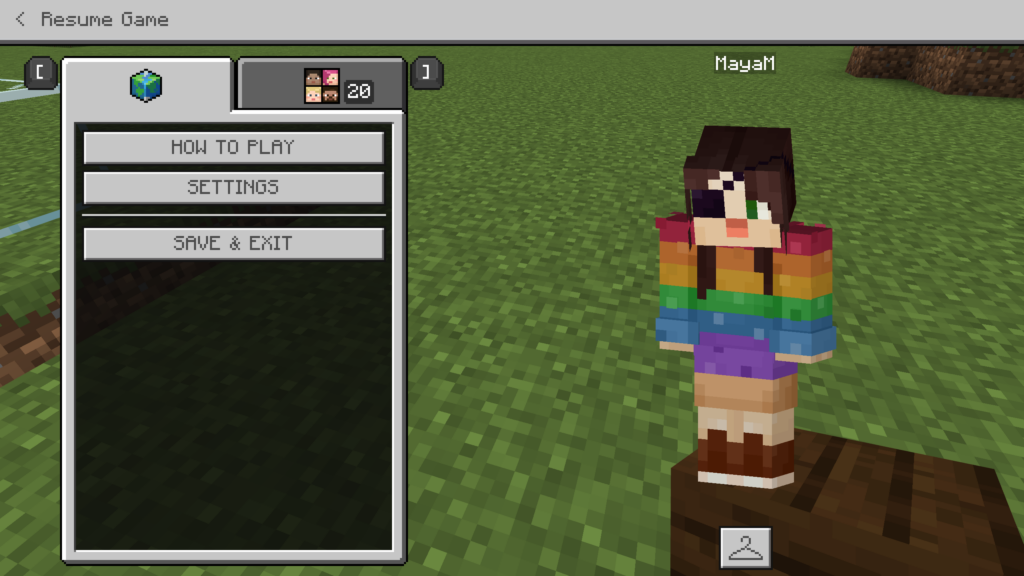
A screengrab of my Minecraft character. I opted for a rainbow outfit with an eye patch from the options provided within the game.

Minecraft is a video developed Mojang studios that present players with a sort of virtual reality that feels a bit like being in lego world. You are a character that can explore many worlds and have the ability to build almost anything through it’s blocky and pixelated programming. Much like lego, the Minecraft game is very accessibile and even beginners can start building by way of putting blocks together. It is not an overly complicated design software which makes it popular among elementary aged children.

Today we explored a few different Minecraft worlds and discussed ways we might use this tool in the classroom as a way to collect evidence of learning. Minecraft even has an entire line dedidicated to educators called Minecraft Education that provides resources for teachers including lessons plans. As has been a common thread throughout this class, it appears that using Minecraft in the classroom might be an excellent way to engage learners and incorporate popular tech in the classroom to enhance learning. As a future educator, it will be important to remember the learning intentions and ensure that you are striving for those and note just using Minecraft (or other tech tools) because students like it.

Although potentially a bit dated (from 2016), I found this article titled, Minecraft Education Edition: why it’s important for every fan of the game, from the Guardian about the launch of Minecraft Education Edition which offers a newsworthy overview of the platform. This article also directed me to the self published video from Minecraft about the Education version of the game which can be viewed here:

Overall, it seems that Minecraft can be beneficial to use within the classroom. Anecdotally, the students that I have conversations with that are in grade 5 and older are telling me that Minecraft is a “kids game,” which tells me that incorporating it into future classrooms might be best suited in the middle-primary years.
Week 9 Reflection

Everything we do in the classroom reflects our beliefs about how learning happens

Michael said this today

Technology Integration Models

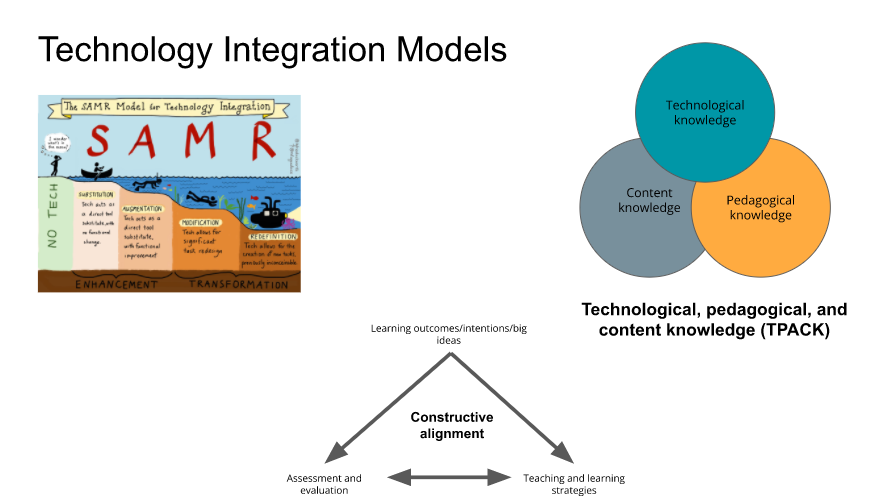
Today Michael introduced us to three different models to consider when we start planning our lessons and consider how we might consider integrating technology into our plans.

screenshot from Michael’s presentation

SAMR = The Substitution Augmentation Modification Redefinition Model (read more about it here)

TPACK = The Integration of Technological, Pedagogical, and content Knowledge (read more here)

Constructive Alignment = Read more here

Each model has its own strengths (and likely weaknesses too) and ultimately we were encouraged to use the models to help us focus our planning on the learning that will be happening in our classrooms. Even though this course is about tech, the focus is on using tech to support learning. A great reminder to know your purpose and to check in often about “how your integrated technology lesson planning is supporting learning for students?” If you are integrating tech into your lessons only because it fun, it might be a sign that your lesson has lost focus on the learning intentions.

Liberating Structures

Liberating structures are tools and strategies that I can implement in my teaching practice to help facilitate good group discussions. As teacher candidates, we have become very familiar with the THINK- PAIR-SHARE model of encouraging small group discussion. As much as I love a good TPS, sometimes students need to change it. I know I do. When I switch up is needed, here are two great places to go for inspiration:

1 – The Big List of Class Discussion Strategies

2 – Liberating Structures – Including and Unleashing Everyone

Assessment

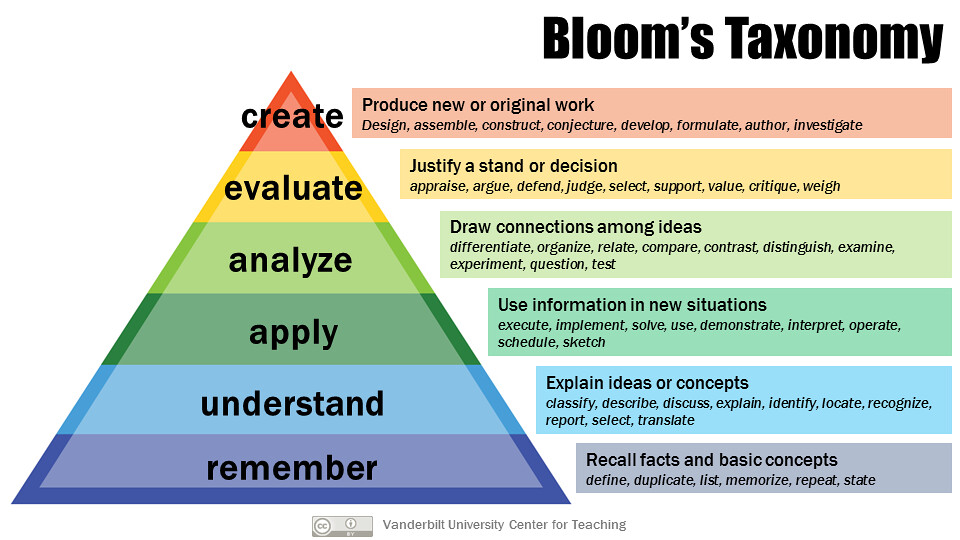
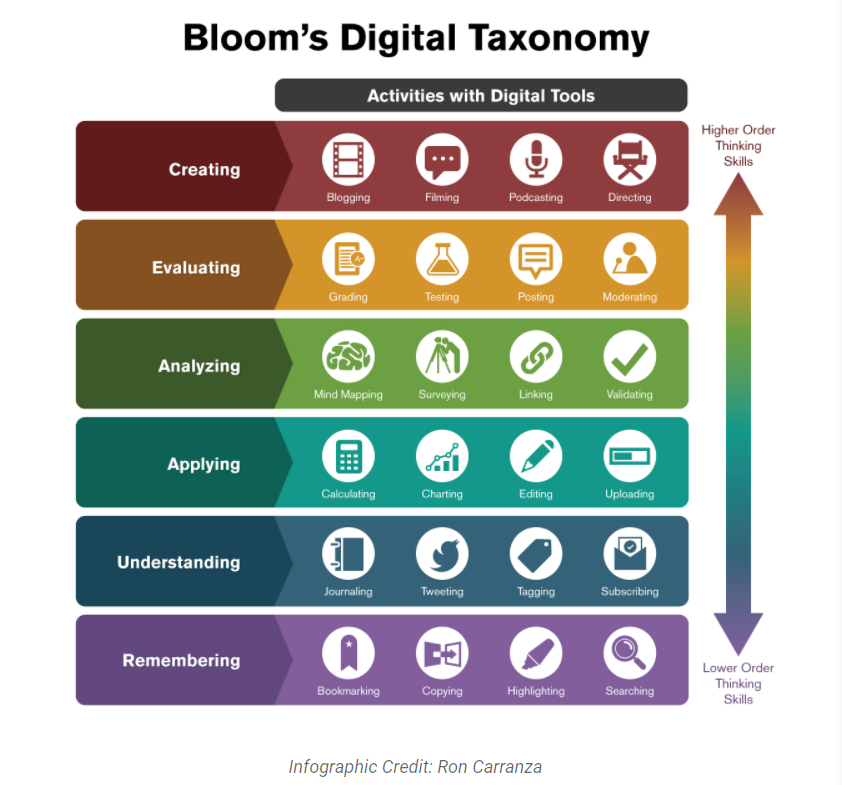
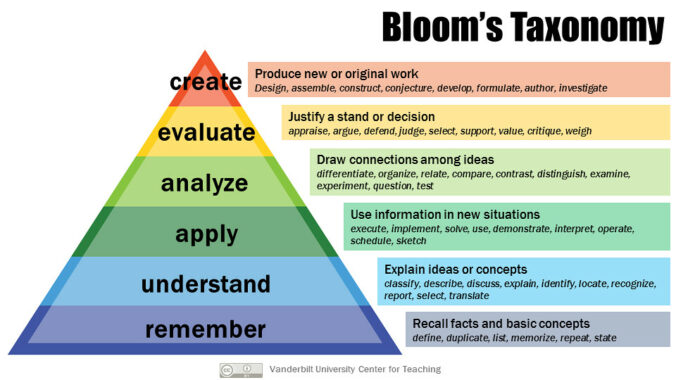
As a group, we discussed Bloom’s Taxonomy as well as the more recent Bloom’s Digital Taxonomy which provides some useful directions about assessment. I’ll post more on this soon…..

Week 8 BCEdAccess

Photo by Agence Olloweb on Unsplash

This week we had a guest speaker, Tracy Humphries, the Founder, Chair and Executive Director of BCEdAccess who spoke to us about disabled students and technology.

BCEdAccess Society is an entirely volunteer-run organization serving families of students with disabilities and complex learners all over the province of British Columbia. Our parent support group has over 4000 members and stories shared on our private discussion board daily illustrate the depth of the challenges families face in pursuing equitable access to education for their children and youth in BC schools

bcedaccess.com

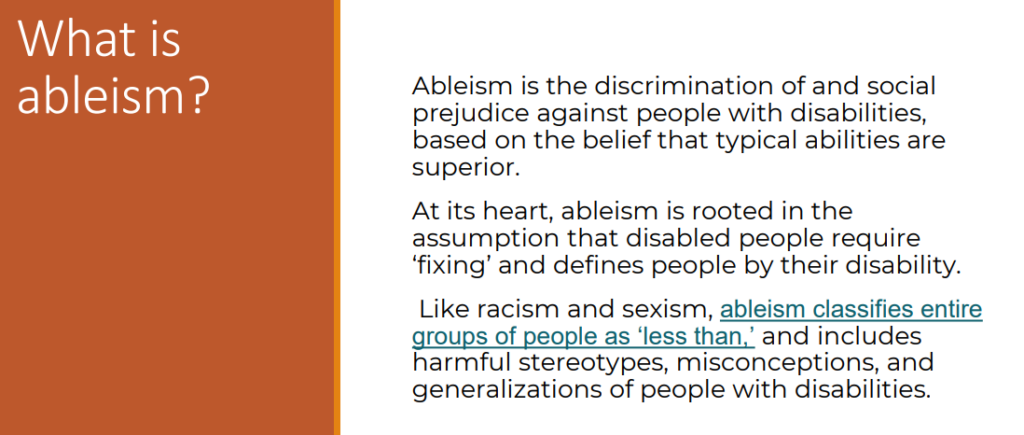
Tracey introduced the definition of albeism and challenged us to check our own assumptions about disabilities before meeting our future students.

Taken from Tracy Humpries presentation at UVic on March 4, 2022

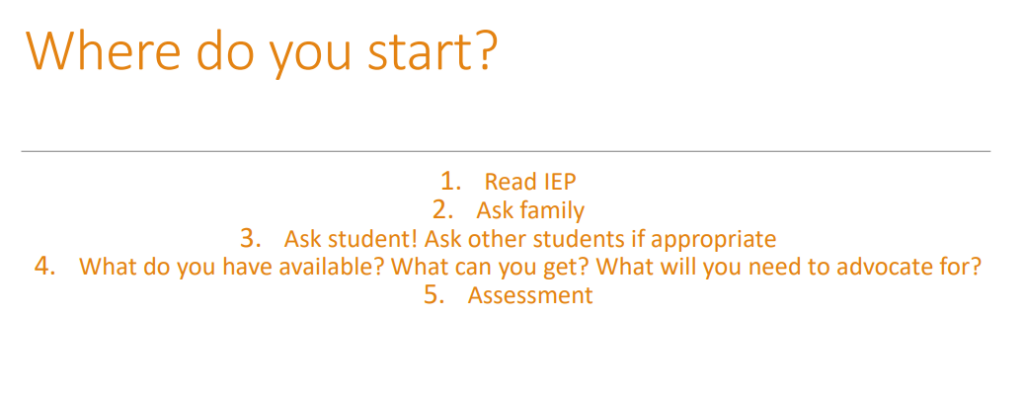
Tracy focused on advocacy and she offered some concrete actions that parents and teachers can make to engage in meaningful support for students with disabilities. One message that really stood out as helpful new educators was this one from her presentation titled “where do you start?”

Taken from Tracy Humpries presentation at UVic on March 4, 2022

She shared some personal stories of advocating for her own family which really showed how important is to lean into challenging and collaborative conversations. Engaging in some of these tougher conversations is important because they can lead to small and big changes that can have a HUGE influence on a student’s learning experience. Her presentation and the group discussion that followed have encouraged me to consider making connections with the home team (families) as soon as possible so that the conversations can be more collaborative than challenging and focus on supporting the learners in the class.

My free inquiry…indecision.

When I entered week six of my technology in education class I had yet to land on a free inquiry topic. I checked back into the course outline to remind myself that I was meant to start this process in week two and ideally would have already created four posts about my learnings thus far. In week six I was confronted with the question… why am I dragging my feet? I’m an overthinker by nature and this inquiry process has really highlighted this tendency of mine. I realize that deadlines are a good thing for thinkers like me, otherwise, I might just spend my days thinking and never get to the making part.

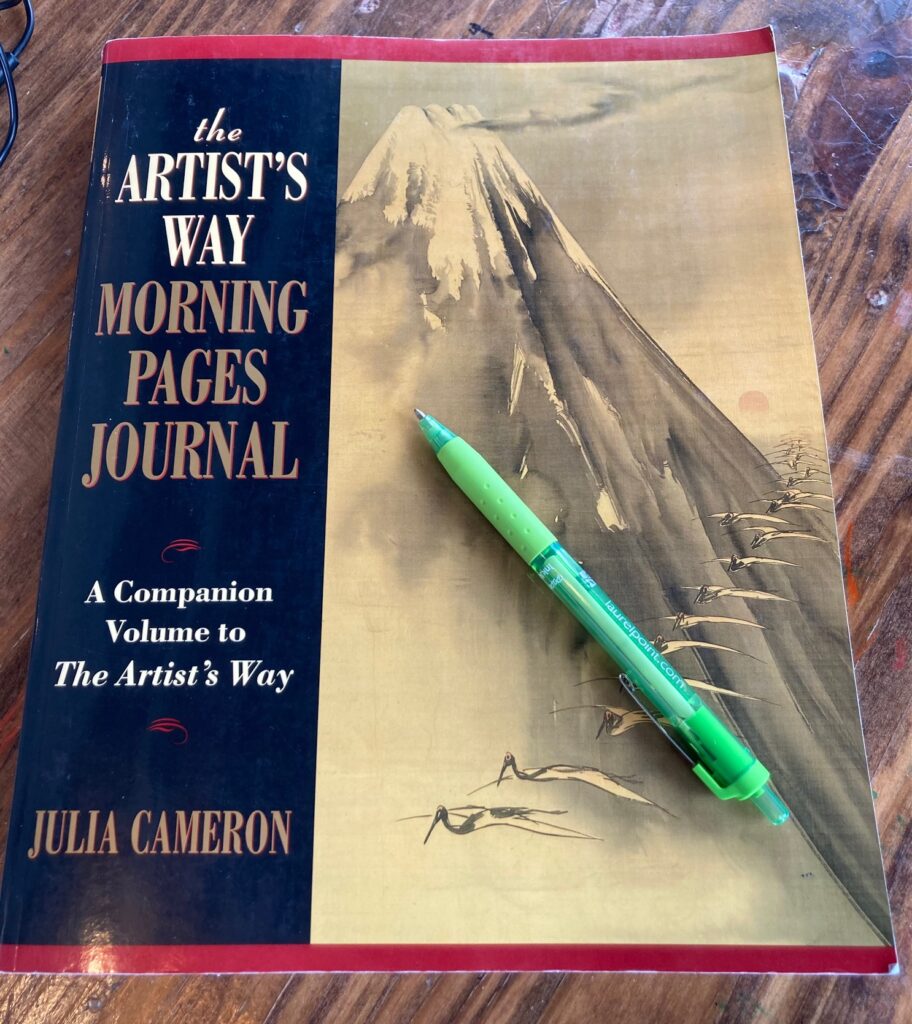
For a good week, I decided I was going to devote my inquiry to learning how to play Minecraft. I bought the game, started to dig like a troll, but it just wasn’t bringing me joy. By this time I was firmly into week seven, still without a topic, and feeling the pressure from the ten posts yet to be written before the end of the semester. In a moment of clarity, I was reminded of a book called The Artists Way by Julia Cameron that had been lingering on my general life list of “things I want to do.” Finding myself past the halfway mark in the semester accompanied by a little spark of joy, I bought the The Artists Way Morning Pages and finalized my inquiry topic. Journaling!

Purchased in good used condition from Amazon for $21

At first glance, journaling may seem like a simple thing to inquire about. Yet, when I asked my cohort for their feedback about journaling, everyone had something to say about it. And I realize that it is not so simple. Journaling is a practice of sorts (like yoga or meditation) and what comes of my experience over the second half of the semester will be interesting in its own right. I will endeavor to wake up at 6 am (excluding weekends) to create space for the daily practice of the morning journal.

“Once we get those muddy, maddening, confusing thoughts on the page, we face our day with clearer eyes.”

Julia cameron

Over the next five weeks, I hope to dive into some of the following questions:

  • Why is journaling best in the morning?
  • What does the research say about journaling?
  • Is it best when it is a pen and paper experience? (Does Twitter count?)
  • Journaling to help fear and anxiety
  • Journaling for sucessful goal setting
  • Famous/successful people that journal
  • Why travel journals are so popular
  • Why do writers use journals?

So Many Resources….So little time

I am in a tidal wave of resources. With practicum just a few weeks away, I am overwhelmed with the incoming information about lesson planning, curriculum, and excellent links to resources. I plan to use this section of my site to bookmark quality resources that I want to remember in one easy place.

Educational Videos

BC Curriculum

Authentic Indigenous Education

Unit and Lesson Planning

Technology & Inclusion

Tech Tools for Collaboration

  • Mentimeter
  • Jamboard
  • Mural

Uncategorized but helpful links

A Reflection on Screencasting

What is Screencasting?

Screencasting allows you to record activities on a computer while you talk about what you are doing. To be more official, here is the Wikipedia definition:

A screencast is a digital recording of computer screen output, also known as a video screen capture or a screen recording, often containing audio narration.

https://en.wikipedia.org/wiki/Screencast

Why Screencast?

Personally, I love a good “how -to” screencast. It’s the next best thing to calling on a teacher or waiting for someone in the IT department to help you retrieve a lost file. I myself have had many experiences where I didn’t know how to do something on my computer which led me to a google search on “how-to______________” (insert task here). Reading through step-by-step directions while trying to follow along, clicking back and forth between my actual task and the in-text directions in another window was irritating and time-consuming. Enter the wonderful world of screencasting!

Screencasts can help you do many things from making pivot tables in excel to restoring a previous version of a word doc or creating WordPress multimedia posts. And kudos to the individuals who have created these screencasts because their passion, for what I would consider, totally boring tasks (seriously, excel pivot tables spark no joy) has helped me keep a project moving along. As a future educator who may need to prepare more for online teaching, I can see how creating screencasts can be helpful to support student learning. On that note, I had to learn how to make one. I followed the instructions from my teacher and created my very first screencast. Enjoy!

An Introduction to Windy.com

Keynote Jesse Miller

What a refreshing and relevant presentation! Jesse Miller spoke to our group of teacher candidates about social media in education. I found it refreshing because he addressed the commonly held view (that was part of my own educational experience) that “bad people” are on the internet and that kids should stay away from the internet and tech. His keynote encourages educators to learn how to use tech in positive and supportive ways and avoid internet fear among students, teachers, and parents. As future educators, it is our job to learn about tech and internet safety so that we can take care of our own digital profiles and be positive role models and digital citizens.

Photo by Annie Spratt on Unsplash

Open Educational Resources

It’s the second week into tech 336 and we spent our class learning some rather dry but important information about copyright, data hosting, privacy, and Open Educational Resources. Here is a definition from UNESCO that will help me remember what OER is:

Open Educational Resources (OER) are teaching, learning and research materials in any medium – digital or otherwise – that reside in the public domain or have been released under an open license that permits no-cost access, use, adaptation and redistribution by others with no or limited restrictions. 
OER form part of ‘Open Solutions’, alongside Free and Open Source software (FOSS), Open Access (OA), Open Data (OD) and crowdsourcing platforms.

https://en.unesco.org/themes/building-knowledge-societies/oer

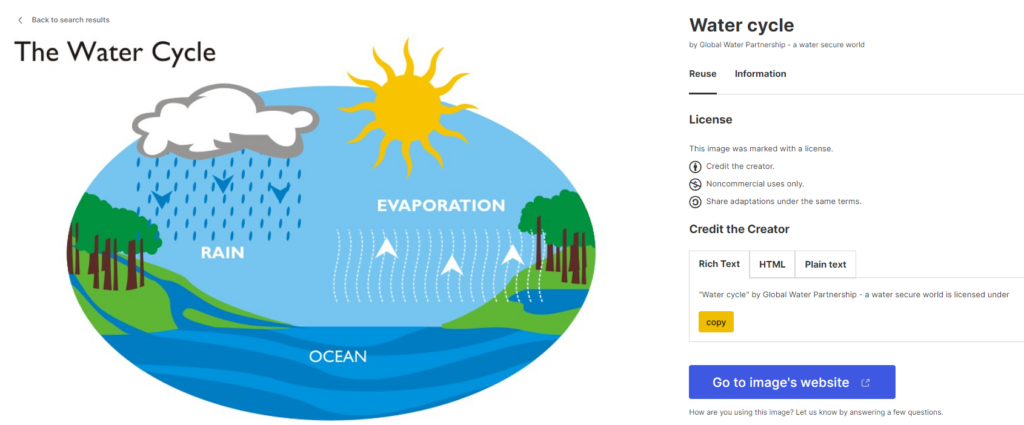
Searching for and using OER is beneficial to teachers because the resources can be used freely and openly without concerns about failing to comply with copyright laws. All you need to do is credit the person who created the content you are using. Basically, recognize that someone else’s hard work is making your job as a teacher that much easier. For example, I went to this website in search of some OER https://wordpress.org/openverse/?referrer=creativecommons.org and entered “water cycle” into the search bar. I was presented with over 10,000 results but chose one from the first page that looks like this:

“Water cycle” by Global Water Partnership – a water secure world is licensed under CC BY-NC-SA 2.0

There was even a handy little tool where I copied the credit and pasted it right here in my blog under the borrowed image. When I go searching for resources to enrich my future classroom, I need to look for the Creative Commons licensing icons that communicate in which ways I can use the resources I have found. The icons look like this

and they are defined on the Creative Commons website. This is the place to go when I find myself asking what can I do with this great resource I just found? I now also have a better list of places to go for openly licensed images and resources. Here are a few:

https://www.pexels.com/

https://unsplash.com/

https://www.oercommons.org/

Creative Commons

BC Open Textbook Collection

The benefits of using OER include easy access to quality materials for teachers with the reassurance that they can be used freely without copyright concern and without investing personal finances to find excellent resources. And that means better learning environments for students.

Introduction to Teacher Tech 336!

I have entered the world of teacher tech!  When I saw the course name Technology and Innovation in Education, I anticipated that this course was either a pedagogy class for teaching the BC curriculum Applied Deisgn, Skills and Technologies or a course for teacher candidates about using tech to support their own productivity and confidence in managing tech in their future classrooms. Upon reading the course syllabus, I was excited to learn that it was the latter.  I love a good trello board!

My first task upon beginning this course was to set up this very site.  Although I have experience with managing wordpress sites, my set up was not smooth.  I clicked a few wrong options and spent the better part of the day messaging my professor asking for support with set up.  This experience reminded me, that even when I think I know something there is always more to learn!  It also gave me to opprtunity to connect with my professor and learn that he is easy to contact (via the Mattermost communication app) and a kind and patient helper.

I’m ready to learn more and look forward to sharing my reflections here.    

Newer posts »

© 2025 teachertalk

Theme by Anders NorenUp ↑